Certified Ubiquiti UniFi Partner

Enterprise networks, without the enterprise licence bill.

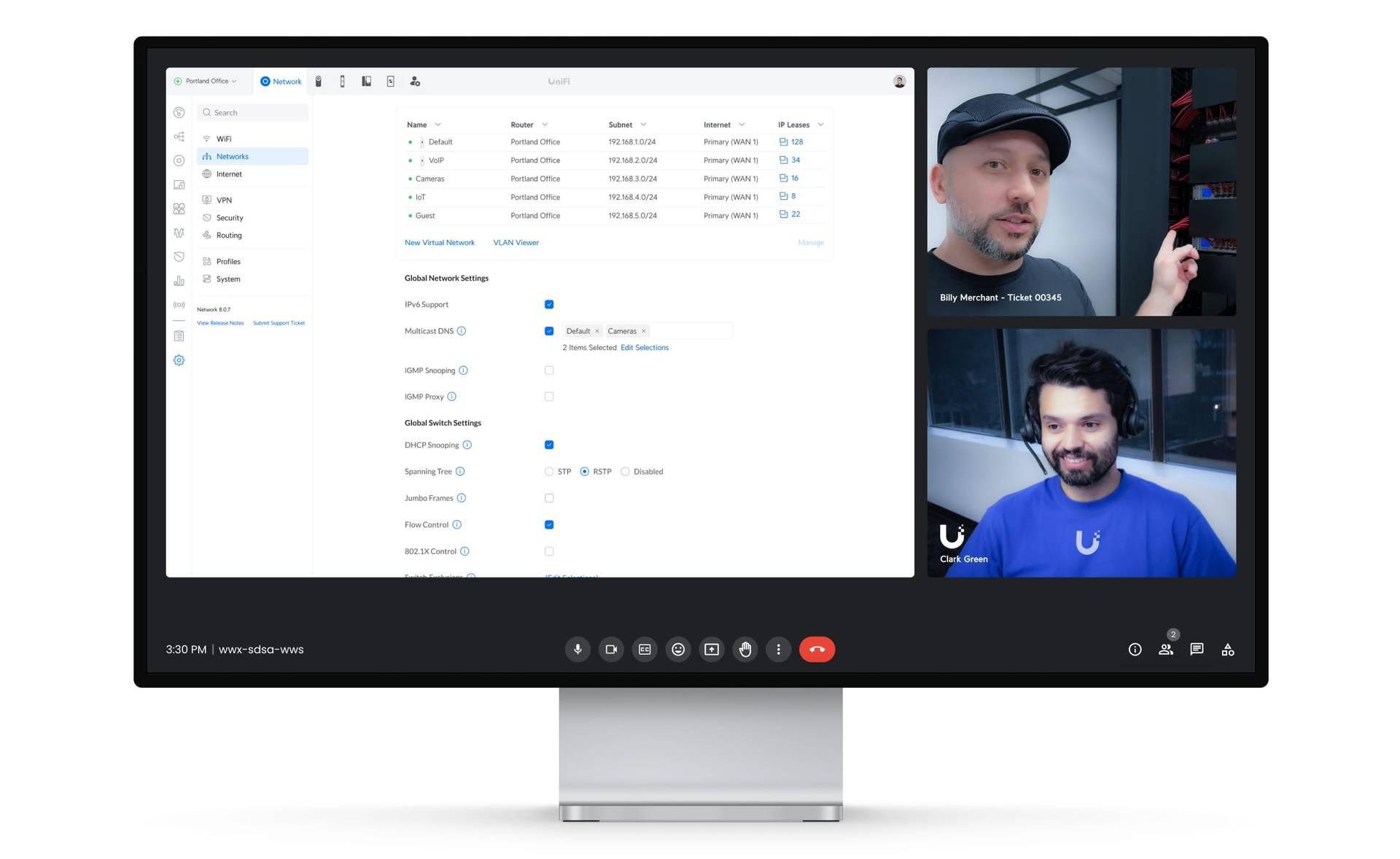
HybridValley designs, deploys and operates the full Ubiquiti UniFi stack (Cloud Gateways, switching, WiFi 7, Protect, Access and Identity) for organizations from a single office to a twelve-country estate. Same engineering discipline we bring to cloud and cybersecurity. One portal to run it all.

UniFi Professional IntegratorUNPUFSPUWA
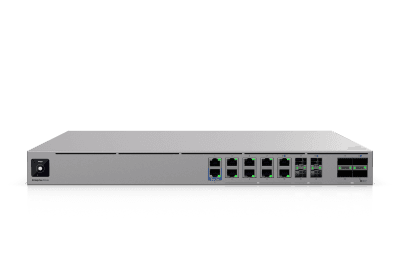
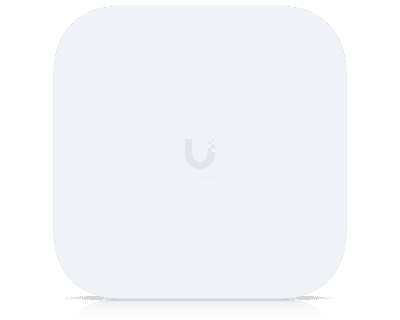
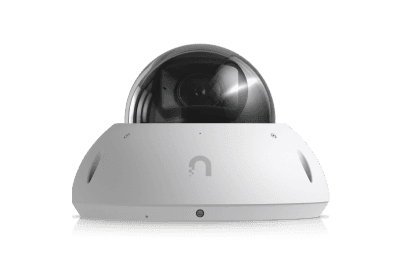
UniFi Enterprise Firewall CoreUniFi E7 access pointUniFi Protect G6 Pro Dome camera
100 Gbps
Gateway throughput available to design against, with 79 Gbps of IDS/IPS inspection.
2,250+
Managed devices and 22,500+ concurrent users from a single console.
500
HD cameras, or 300 at 4K, on one Enterprise NVR, at zero licence cost.
$0
Per-device licensing. SD-WAN, IDS/IPS, VPN and video AI are in the platform.
Why our clients move

The renewal quote is what starts the conversation. Convergence is what ends it.

Most of our UniFi engagements begin with a three-year refresh quote from an incumbent vendor and a network the client has stopped enjoying. What keeps them on UniFi afterwards is not the saving: it is that network, WiFi, cameras, doors and identity finally live behind one login, with the data staying on their premises.

Licensing that stops being a line item
Firewall, IDS/IPS, SD-WAN, VPN, video recording and camera AI are features of the hardware, not subscriptions. Budget becomes predictable and capital, not a renewal cliff.
One fabric, one portal
Switching, WiFi, cameras, doors and VoIP run as applications on the same gateway and appear in one Site Manager view, across every site, from anywhere, with MFA.
Your data stays yours
Video, door events and configuration live on-premises with encrypted remote access, a hybrid-cloud posture that survives procurement and privacy review.
Core areas of the UniFi ecosystem

Six platforms. One console. Specific expertise in each.

Convergence only pays off when every layer is engineered properly. Here is what we actually design and configure.

Cloud Gateways and next-generation firewall

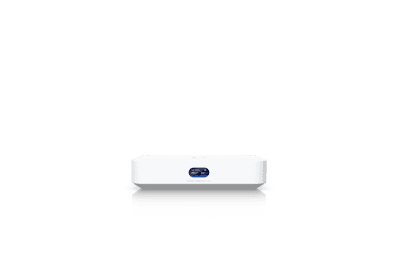
The gateway is the security architecture, so we treat it as one. We size from Cloud Gateway Ultra and Max for single sites up to Dream Machine Pro Max, Enterprise Firewall and Enterprise Firewall Core where inspection throughput and port density matter.

Multi-site estates get license-free Site Magic SD-WAN, BGP and OSPF where the WAN demands it, and Shadow Mode (VRRP) failover with dual hot-swap power on critical sites.

UniFi Network & WiFi
Zone-based segmentation
LAN, WAN, Guest, IoT, VoIP and vendor zones governed by a policy matrix, not hundreds of hand-written rules.
IDS/IPS, L7 and content filtering
Signature-based intrusion prevention, application-aware rules and 100+ content categories tuned per zone.
Resilient WAN
Multi-WAN failover or weighted distribution, policy-based routing, WireGuard/OpenVPN and IPsec site-to-site, ISP health monitoring per site.
UniFi Enterprise Firewall CoreUniFi Cloud Gateway Max
Enterprise-grade hardware

We specify the top of the line, because the core is not where you economize.

The UniFi Enterprise Campus and Enterprise NVR families are terabit-class, Layer 3, hot-swap-redundant hardware: the tier we standardize on for cores, campuses and anything carrying a recovery objective.

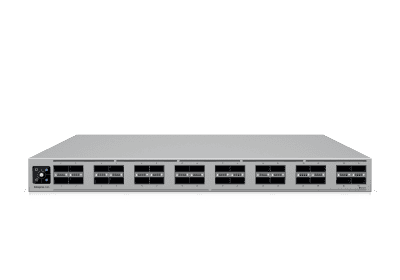
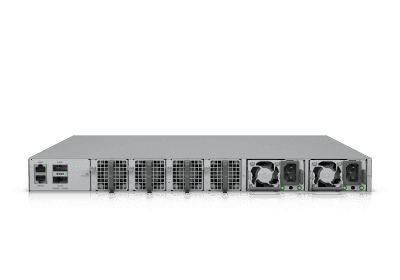
UniFi Enterprise Campus Switch Core
Enterprise Campus Switch Core
6.4 Tbps switching capacity, 32x 100G QSFP28
1U Layer 3 core with MC-LAG, two hot-swappable PSUs and five hot-swappable fans. 3.2 Tbps non-blocking, 2.8 Bpps forwarding.
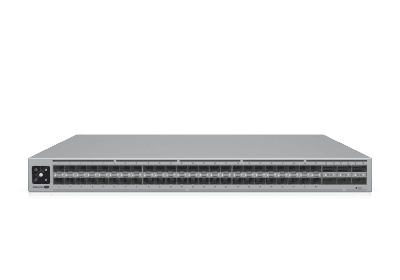
UniFi Enterprise Campus Aggregation
Enterprise Campus Aggregation
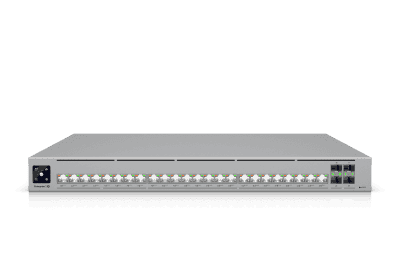
48x 25G SFP28 with 6x 100G uplinks
3.6 Tbps distribution layer for spine-leaf cores, paired with MC-LAG so no closet depends on a single fibre or a single chassis.
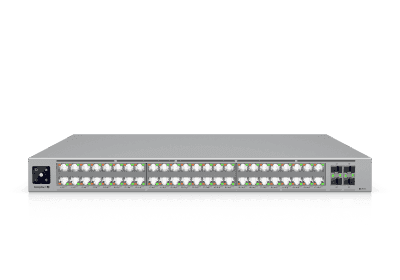
UniFi Enterprise Campus 48 PoE
Enterprise Campus 48 PoE
48 PoE+++ ports, 32 of them 10 GbE
Up to 90 W per port and 2,150 W shared PoE, or 950 W in redundant mode, which is the number that actually matters when a PSU fails.
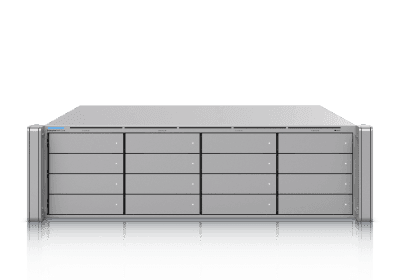
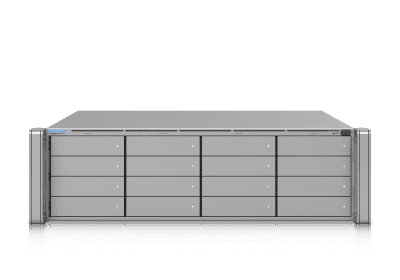
UniFi Enterprise NVR Core
Enterprise NVR Core
500 HD or 300 4K cameras, up to 48 drives
3U recorder with 16 hot-swap bays, two storage expansion ports, dual 25G SFP28 and hot-swap PSUs. Still no per-camera licence.
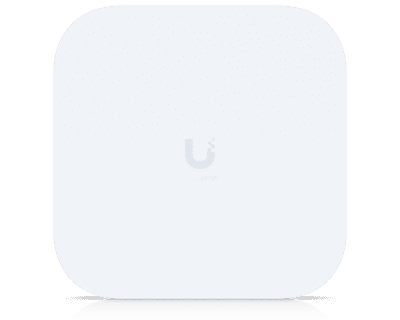
UniFi E7 Campus access point
E7 Campus
Outdoor WiFi 7 with PRISM active RF filtering
Campus-scale coverage that holds up in contested spectrum, fed by a 10 GbE PoE+++ port so the uplink is never the ceiling.
UniFi Enterprise Firewall Core
Enterprise Firewall Core
100 Gbps routing, 79 Gbps IDS/IPS inspection
Dedicated firewall for the head end, deployed in Shadow Mode pairs where the estate cannot tolerate a single gateway.
A full stack, one rack

Everything the building needs, in eighteen rack units.

This is a typical head-end elevation we build for a single large site: firewall, 100G core, 25G aggregation, PoE+++ access, enterprise recording and managed power, with routing, WiFi, video, doors and telephony all served from one rack and one console.

Redundancy
Dual hot-swap PSUs on every enterprise chassis, fed from independent PDU feeds.
Uplinks
100G QSFP28 core-to-aggregation, 25G SFP28 aggregation-to-access, MC-LAG throughout.
Discipline
Blank keystone panels, brush and OCD panels, labelled patching: a rack you can hand to someone else.
Head-end rack42U cabinet
Enterprise Firewall CoreEnterprise Campus Switch CoreEnterprise Campus AggregationEnterprise Campus 48 PoEEnterprise Campus 48S PoEEnterprise NVRPower Distribution Pro
1U · Enterprise Firewall Core, 100 Gbps, 79 Gbps IPS
1U · Enterprise Campus Switch Core, 32x 100G QSFP28
1U · Enterprise Campus Aggregation, 48x 25G SFP28
1U · Enterprise Campus 48 PoE, 32x 10 GbE PoE+++
1U · Enterprise Campus 48S PoE, stacked access
3U · Enterprise NVR, 16 hot-swap bays, dual PSU
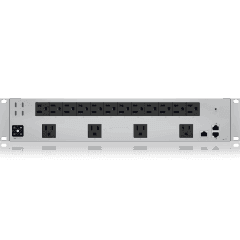
2U · Power Distribution Pro, per-outlet metering
And at campus scale

Multiply the elevation, keep the single pane of glass.

A campus core is the same design repeated and cross-linked: stacked Enterprise Campus switching per row, MC-LAG pairs between rows, recording capacity sized to the camera estate, and every unit in it visible from one Site Manager view.

Enterprise Campus Switch CoreEnterprise Campus Switch CoreEnterprise Campus AggregationEnterprise Campus AggregationEnterprise Campus 48S PoEEnterprise Campus 48S PoE
Rack A · Core pair
MC-LAG, 100G spine
Enterprise Campus 48 PoEEnterprise Campus 48 PoEEnterprise Campus 48S PoEEnterprise Campus 48S PoEEnterprise Campus 24 PoE
Rack B · Access stack
PoE+++ to WiFi 7 and cameras
Enterprise NVR CoreEnterprise NVREnterprise NVRPower Backup
Rack C · Recording
1,000+ cameras, 48 drives
Enterprise Firewall CoreEnterprise Firewall CoreEnterprise Campus AggregationPower Distribution Pro
Rack D · WAN edge
Shadow Mode firewall pair
How the work runs

A survey, a design, a documented handover.

01
Survey
RF and site assessment, construction and obstruction audit, cabling and closet condition, client-device inventory.
02
Design
Design Center plan with AP placement, coverage maps, VLAN and zone architecture, PoE budget, rack elevations, costed BOM.
03
Stage
Devices adopted, firmware pinned and configuration built off-site, so on-site time is mounting, termination and testing.
04
Cut over
A change window with a written rollback plan, certified cable test results and a WiFiman validation walk against the design.
05
Operate
Monitoring, firmware policy, quarterly RF re-audit and an as-built pack you own: topology, credentials, test results.
Field notes

Three deployments, in the client's own terms.

Short-form engagement notes: the constraint, what we built, the dates we committed to, and what changed afterwards. Client names withheld under NDA.

Regulated sectorProtect + Access + Network4 sites

Every milestone, every control, every date, for a firm that has to prove it.

A regulated financial services firm with four offices, an examination cycle, and an auditor who asks for evidence rather than assurances. Their incumbent camera platform recorded to a vendor cloud, their door system was a separate silo with its own spreadsheet of badge holders, and their wireless had no documented design at all.

We rebuilt the estate on UniFi with the control framework as the design input. Network segmentation was mapped to their data classification: client data, corporate, guest, IoT and camera zones, each with an explicit firewall policy. Protect replaced the cloud VMS with on-premises recording to a redundant NVR, retention set to the firm’s stated obligation rather than a vendor default. Access and Identity put badge, WiFi and VPN behind one directory identity, so joiner-mover-leaver became one action with a log entry.

Every phase closed with an evidence pack: as-built topology, zone policy matrix, cable certification results, retention calculations, access review procedure. They walked into examination with a binder instead of a story.

MilestoneCommittedDelivered
Survey & control mappingWeek 2Week 2
Design & BOM sign-offWeek 4Week 4
Cabling & switch fabricWeek 8Week 7
Network cutover, all sitesWeek 11Week 11
Protect + retention liveWeek 13Week 13
Access & Identity rolloutWeek 15Week 14
Evidence pack handoverWeek 16Week 16
16 wksFrom survey to evidence handover, no milestone missed.
5 zonesFirewall zones mapped one-to-one onto their data classification policy.
0Audit findings raised against network, video or physical access.
High availabilityShadow Mode (VRRP)Live production

We rebuilt the core while the business kept trading.

A 24/7 operation with a single gateway, a single internet circuit and a BCP document whose recovery objectives the infrastructure could not actually meet. No maintenance window existed that the business would accept: the answer was always "not this week".

So we built the new core alongside the old one. A second Cloud Gateway went in as a Shadow Mode (VRRP) peer with dual hot-swappable power supplies, a second carrier was terminated as a weighted WAN member, and aggregation switches were paired so no access closet depended on one uplink. Configuration was staged and validated off-site, then adopted in place.

The cutover itself was a failover test, run during business hours on purpose: we pulled the primary and watched the shadow take the estate. Nobody in the building noticed. Failover is now rehearsed quarterly as part of their DR programme, with the results written into the BCP rather than assumed by it.

Resilience layerBeforeAfter
GatewaySingle unitVRRP shadow pair
PowerSingle PSUDual hot-swap + UPS
WANOne circuitMulti-WAN, weighted
Closet uplinksSingle pathDual, RSTP planned
Config recoveryAd hocVerified cloud backup
Failover proofUntestedQuarterly rehearsal
0 minPlanned downtime taken during the entire migration.
24/7Automatic gateway and WAN failover, tested in daylight.
RTO/RPONetwork objectives in their BCP now evidenced, not aspirational.
Global estate12 sitesSite Magic SD-WAN

Twelve sites, four continents, one portal, and no subscription renewal.

Twelve offices accumulated through growth and acquisition, each with its own kit, its own local IT arrangement and its own renewal date. Every change meant a ticket to a different party, and the annual licensing and support bill from the incumbent vendors had grown faster than the headcount it served.

We designed one hub-and-spoke fabric: regional hubs on Enterprise-class gateways, spokes on Cloud Gateway Max and Dream Machine Pro Max sized to headcount, and license-free Site Magic SD-WAN joining them with policy-based routing back to the hubs for the traffic that has to be inspected centrally. One site template (VLANs, zones, SSIDs, port profiles, guest portal) was applied everywhere, so site eleven took a fraction of the effort of site one.

Their network team now runs the whole fabric from a single Site Manager view with ISP health per site, alarms landing in their service desk by webhook, and firmware rolled out on a schedule they control. The recurring vendor licence line is gone.

Rollout waveScopeWindow
Wave 0Design, template, lab buildWeeks 1-5
Wave 12 regional hubsWeeks 6-9
Wave 24 EMEA spokesWeeks 10-15
Wave 34 NORAM spokesWeeks 16-21
Wave 42 APAC spokesWeeks 22-26
HandoverRunbook & trainingWeek 28
12 to 1Twelve management arrangements collapsed into one portal.
28 wksFull global rollout in four waves, no site off-line in business hours.
$0Recurring per-device licensing across the new fabric.
What certified means here

Trained by Ubiquiti. Escalated straight to Ubiquiti.

Our engineers hold Ubiquiti Academy certifications across the full stack, and we hold UniFi Professional Integrator membership, so your escalations never sit in a consumer queue.

Request our credential pack
Ubiquiti Academy
Full-stack certification, not just wireless
UNP for routing, switching and VLAN architecture. UFSP for Site Manager, Cloud Gateways, next-generation firewall, SD-WAN, Protect and Access. UWA for RF design, survey and remediation.
Professional Integrator
Priority T2 support and ambassador access
Direct phone access to the Ubiquiti Professional Site Support team for tier-2 incidents across every site we manage, plus email access to a Ubiquiti ambassador for roadmap, supply and licensing questions.
Practice discipline
Continuous platform currency
Integrator-only training webinars keep the team current on new silicon and UniFi OS releases, so your firmware policy is a decision, not a surprise.
After go-live

Installed is the easy half.

UniFi is managed inside our managed services practice, under the same monitoring, change control and security governance as the rest of your estate, with our Ubiquiti escalation path behind it.

Monitoring
Site Manager across every site, ISP health alerting, thresholds tuned to your tolerance.
Change control
Firmware trains tested before rollout, configuration changes reviewed, backups verified.
Security review
Zone policy, IPS posture and access rights reviewed quarterly against your control framework.
Escalation
Our engineers first; Ubiquiti Professional Site Support by phone when it needs the vendor.
UniFi Site Manager dashboard

Start with the survey. The design follows the building.

Send us floorplans and a site count, and we will come back with a UniFi design, a costed bill of materials and a deployment schedule with dates we will hold to.